
Direct uploads
Drop a file in from your computer and it starts processing straight away.
 Product tour
Bring your videos in, publish them anywhere, turn watching into action, guide the viewer, and see exactly what it earned you.
01Bring videos in
Drag files in, paste links, or pull across the videos you already published somewhere else. Big files pick up where they left off if your connection drops.
Your library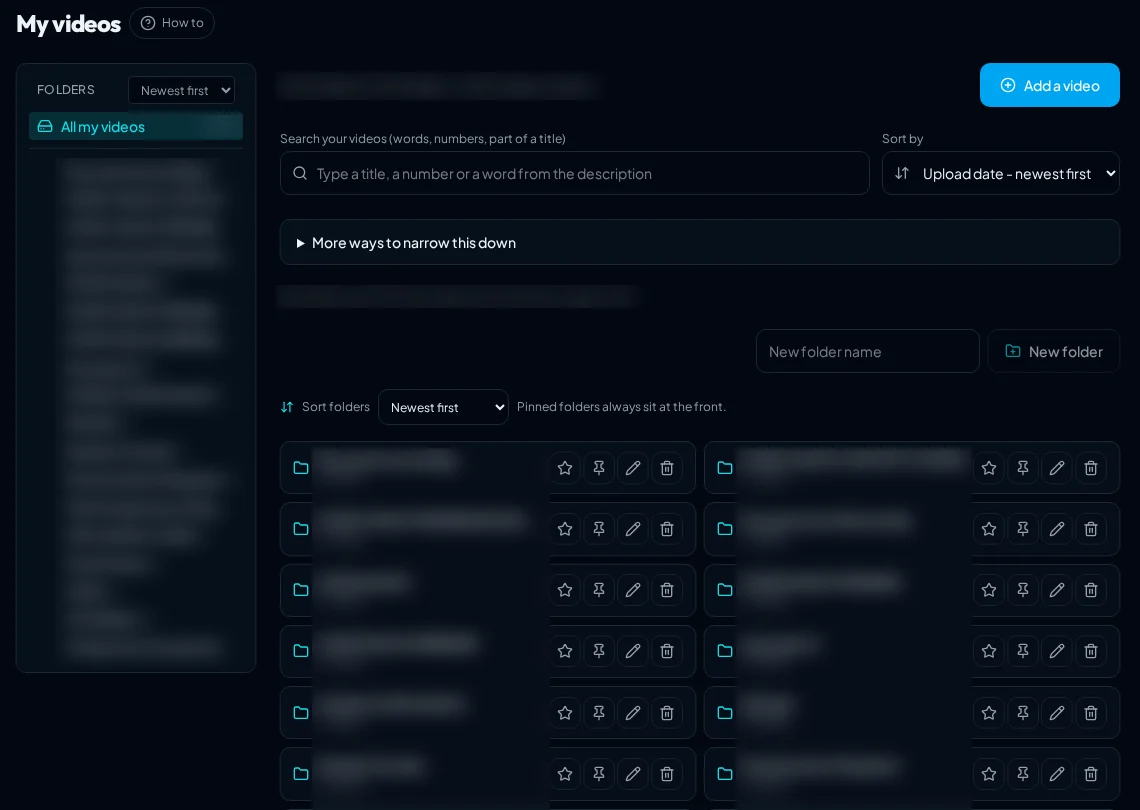
Drop a file in from your computer and it starts processing straight away.
A dropped connection does not mean starting a large file again.
Bring videos in from links or a list, one at a time or in bulk.
Pull a Vimeo library across, with a space check before anything moves.
Organise by client, campaign or course and find any video fast.
02Host and publish
Managed hosting with a permanent share page and embed code, playback that adapts to the viewer's connection, and you decide who is allowed to watch.
Share page
Storage, processing and delivery handled for you, with your allowance and usage always visible.
Keep a video private with expiring playback links, or open it to everyone.
One address that keeps working wherever you publish.
A streaming link that compatible TV and media-player apps can open.
Viewers save an MP4 only when you allow it, video by video.
Quality follows the viewer's connection, so play starts quickly.
Why it feels different
No moving files between tools, no guessing at what your hosting will cost you next month, and no player that belongs to somebody else's brand.

03Turn attention into action
Viewers get smooth watching: true full-screen on any phone or desktop, subtitles that stay clear of the controls, and an opening that can start a little faster before settling to normal speed. You get the selling tools: a button, a form, a booking, a question, a chapter jump, a clickable area on the screen, or a prompt as they go to leave.
Marketing Player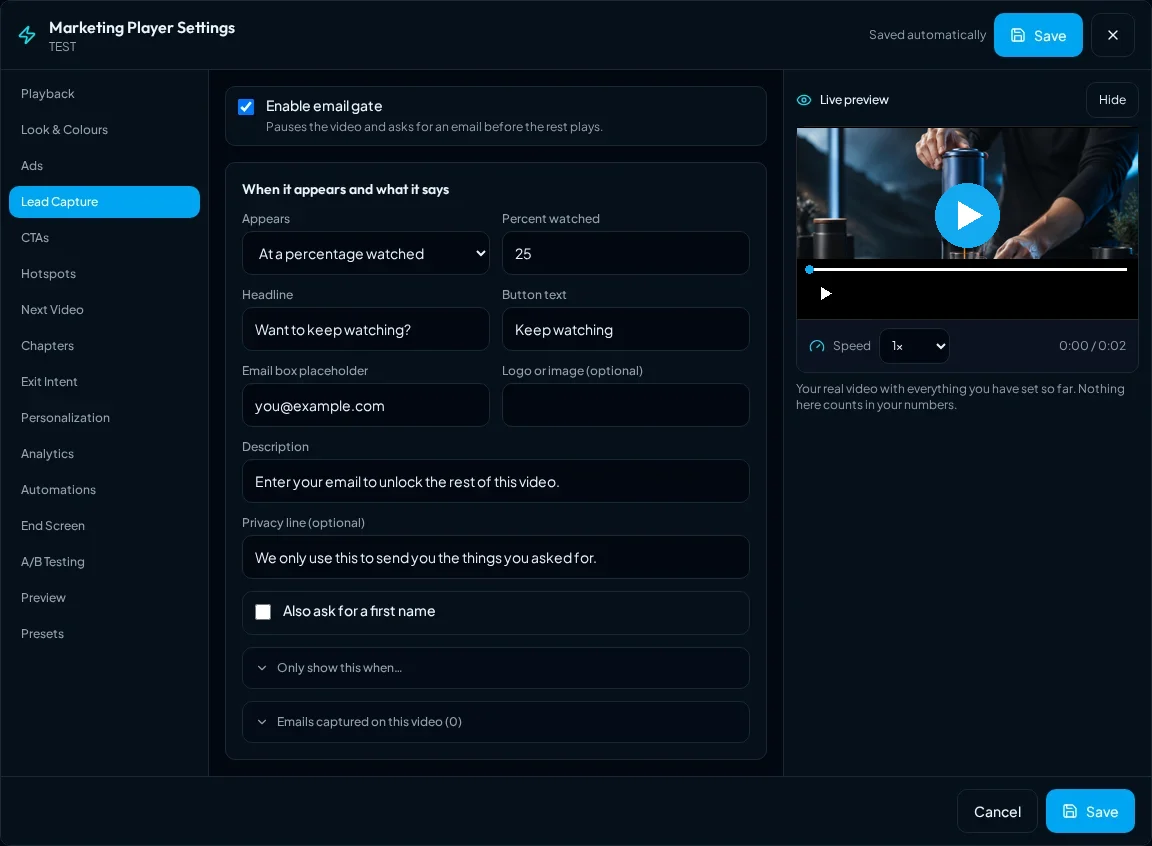
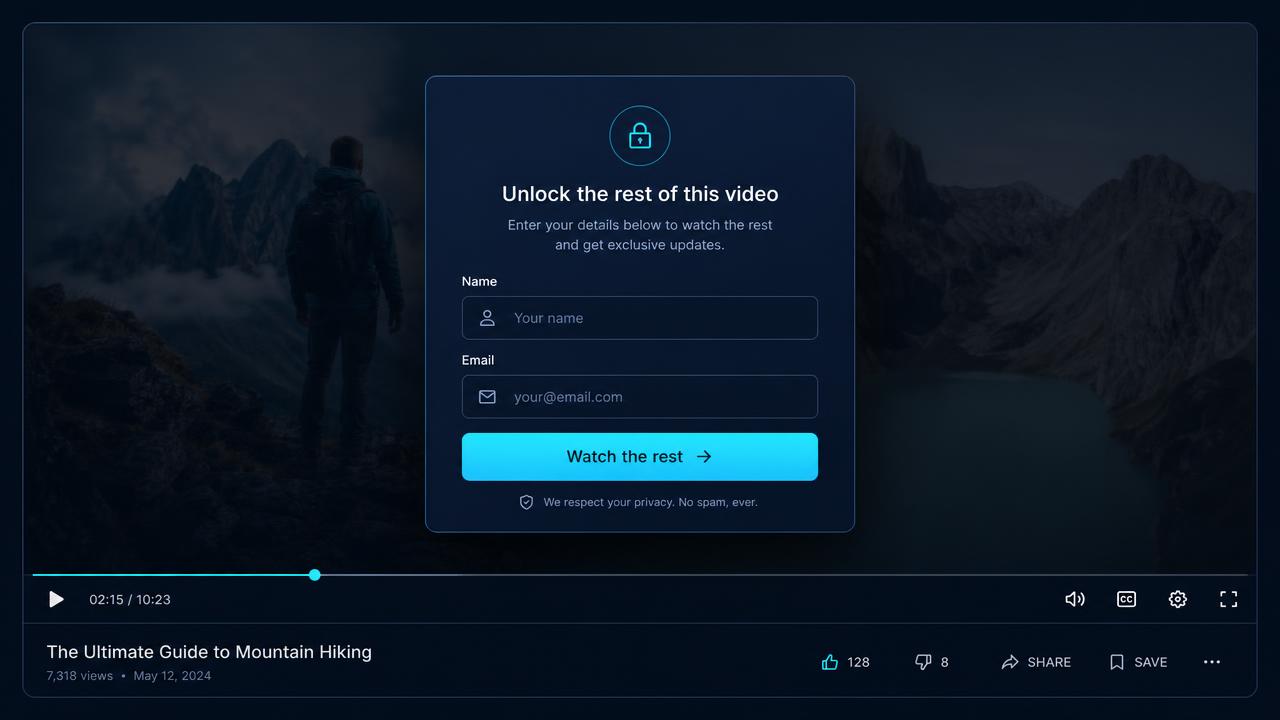 Lead capture, mid-video
Your interactive player on share pages, watch pages and embeds.
True full-screen on phones and desktops, with subtitles always clear of the controls.
Automatic subtitles in ten languages, editable before you publish.
Start at a faster pace, then return smoothly to normal speed at the moment you choose. Viewers can take control at any time.
Viewers pick up where they left off at the speed they like.
Start a second video and the first pauses, then resumes where it stopped.
Buttons that appear exactly when the offer makes sense.
Collect a name and email while attention is high.
Send ready-to-buy viewers to your calendar from the video.
Ask a question mid-video and learn why people buy or don't.
Let viewers jump to the part they came for.
Make a product, price or link on screen clickable.
One more reason to stay as a viewer goes to leave.
Run your own pre-roll, mid-roll and post-roll adverts.
Save a player setup and reuse it on your next video in one click.
Viewers like a video or share it to X, Facebook, LinkedIn or WhatsApp.
Leads and clicks go to your connected tools by webhook.
Try it: pick a tool to see what your viewer sees
Full screen that really works on phones, playback that adapts to the connection, and viewers pick up where they left off.
Illustration of the real player. Your own videos and wording appear here.
Viewers always keep normal play, pause, seeking, captions, speed and full-screen controls. Accelerated opening never hides the real speed or length of a video.
04Guide viewers
Video Journeys link videos together with choices on screen, so a browser, a buyer and a returning customer each get the right next video. The Campaign Wizard assembles the whole thing for you.
Video Journeys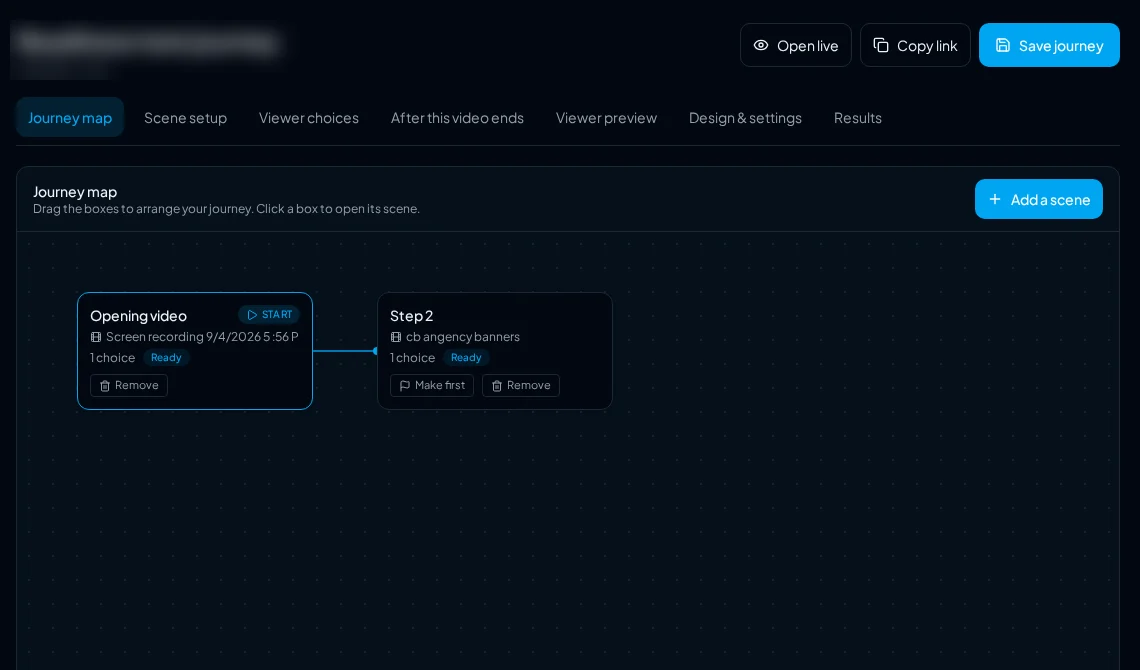
A path through several videos instead of one dead end.
On-screen options that send each viewer down their own route.
Answer a few questions and get a ready-to-edit campaign.
The point of all of it
The videos sitting in your library have already been watched. Adding one prompt at the right second is usually the whole difference.

05Measure and improve
Genuine views, watch time, the exact second people leave, clicks and leads per video. Then test two versions head to head and keep the winner.
Marketing Analytics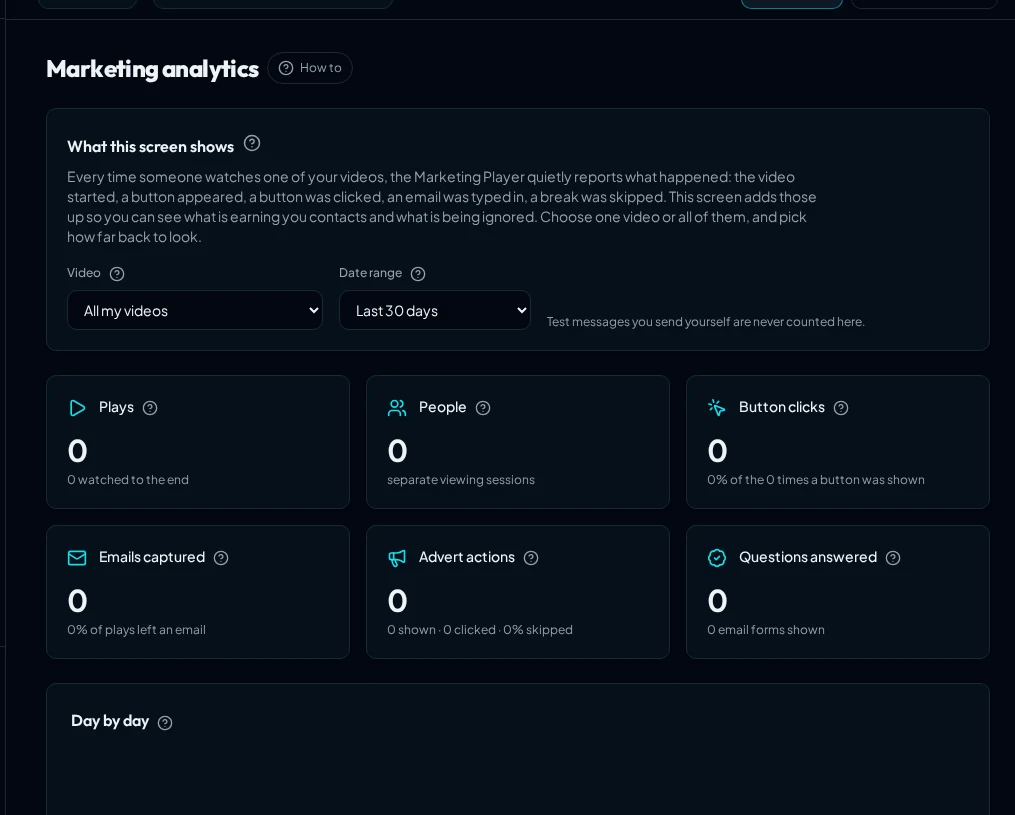
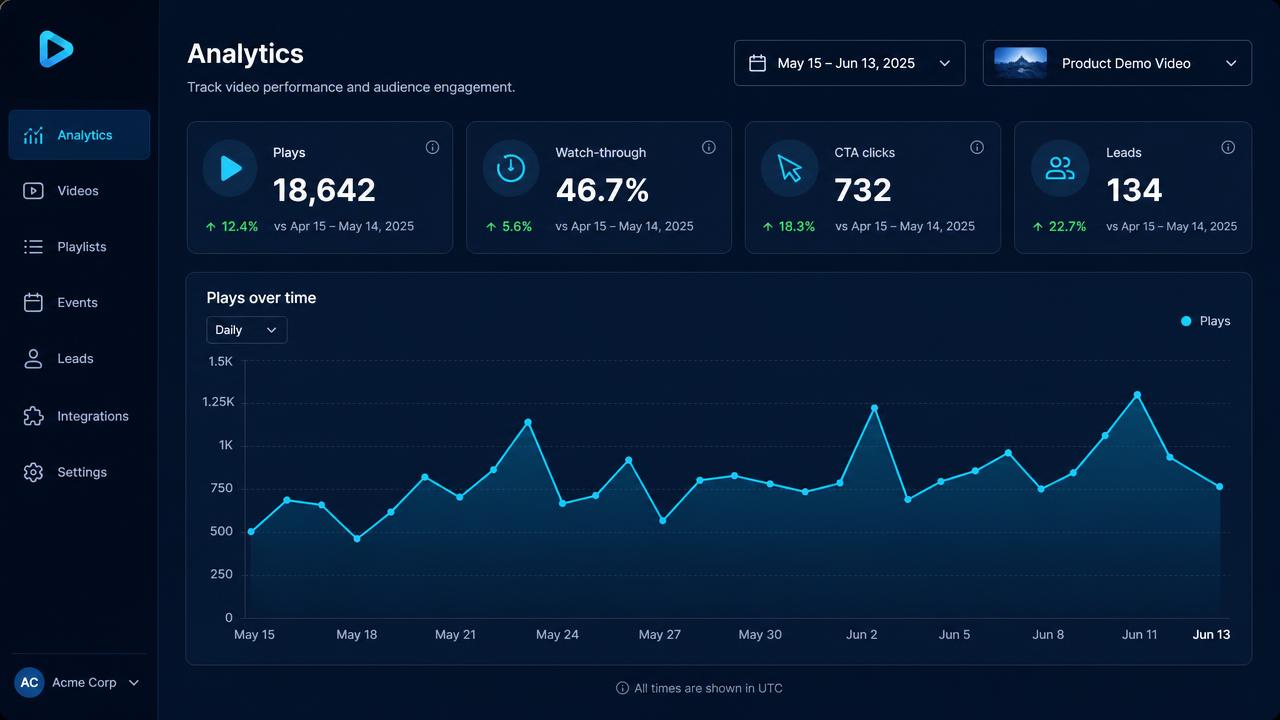 Drop-off, second by second
A view counts when somebody really watched.
Find the exact moment attention falls away.
Every button press, form fill and answer tied to its video.
One place for the numbers that decide what you do next.
Two versions, split traffic, one clear winner.
Build versions from different openings and keep the one that holds people.
Decide with evidence
Run both, watch the drop-off, keep the winner. Split testing turns a meeting into a measurement.
Split testing - demonstration, fictional figures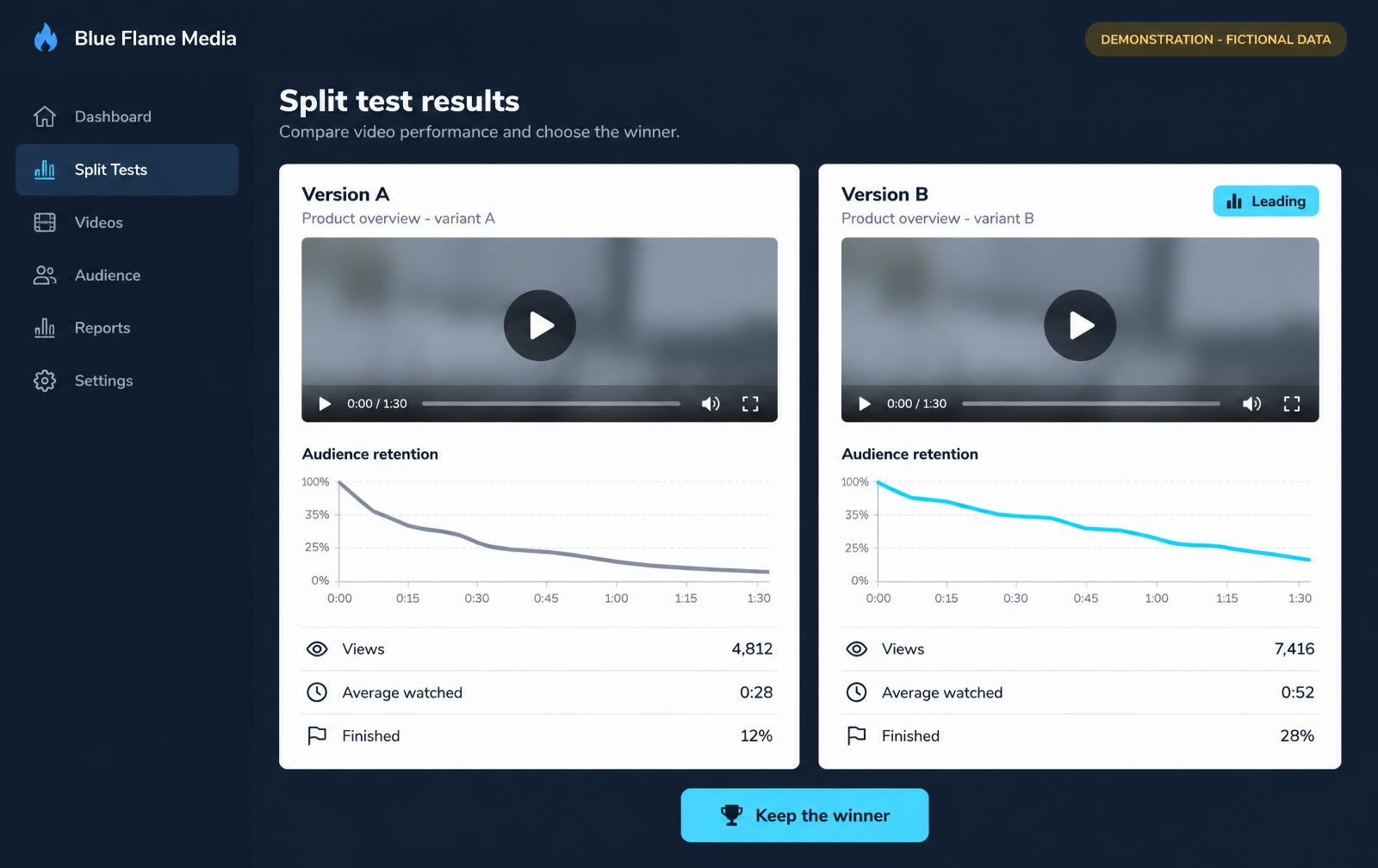

06Create and discover
Content Finder shows what your audience is already asking. Record it from your phone with a teleprompter, tidy it in the quick editor, add subtitles, then give it a title and description search engines understand.
Content Finder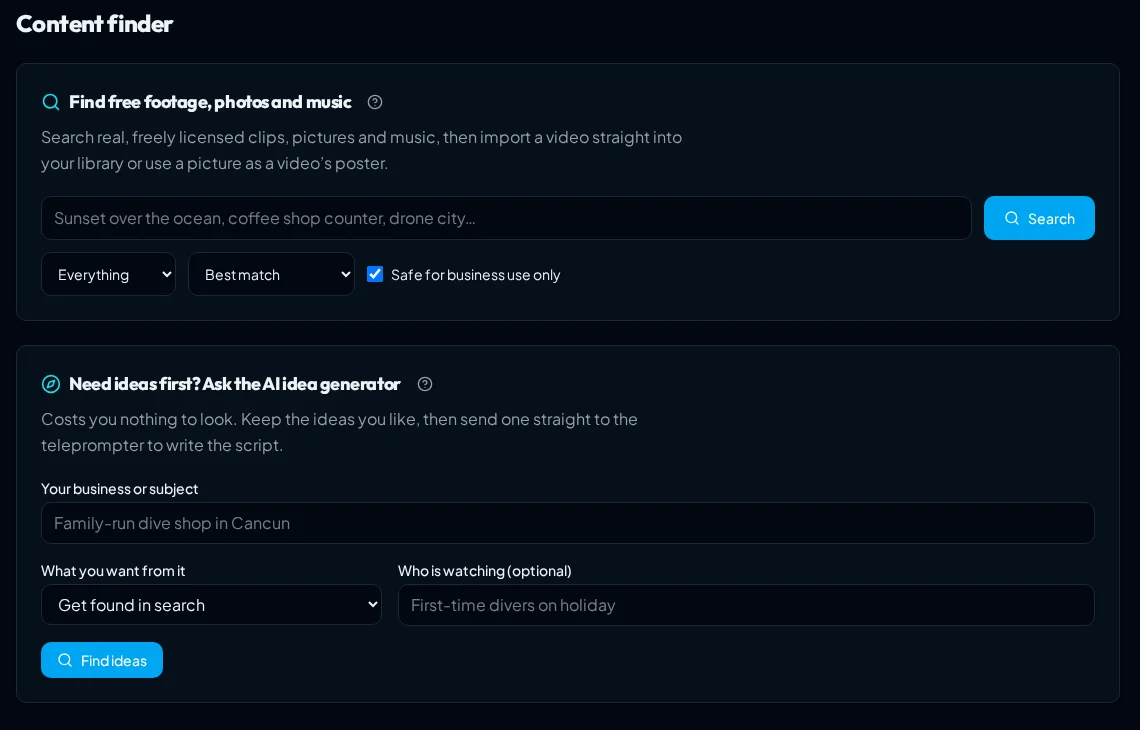
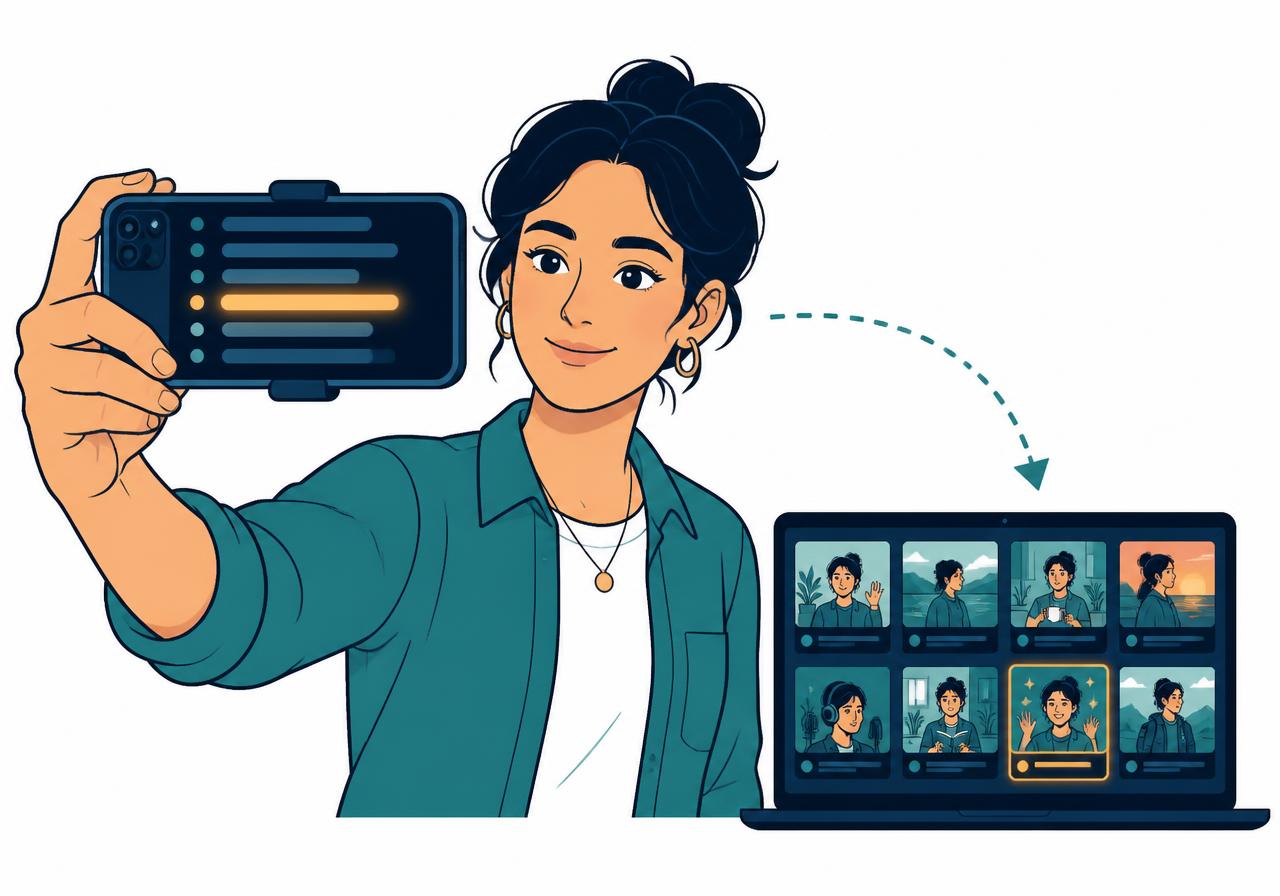 Record from your phone
Trim dead air at the start and end without another app.
Your script scrolls while you look straight down the lens.
Scan a code, record on your phone, and it lands in your library.
Automatic subtitles in ten languages, editable before you publish.
Titles, descriptions and structured detail search engines can read.
Real questions your audience asks, saved to a shortlist.
Save an idea or link to Blue Flame while you browse.
07Present and collaborate
Build a TV-style Video Hub in your own colours, share a workspace with the people who help you, and keep a clear record of what changed.
Shared workspace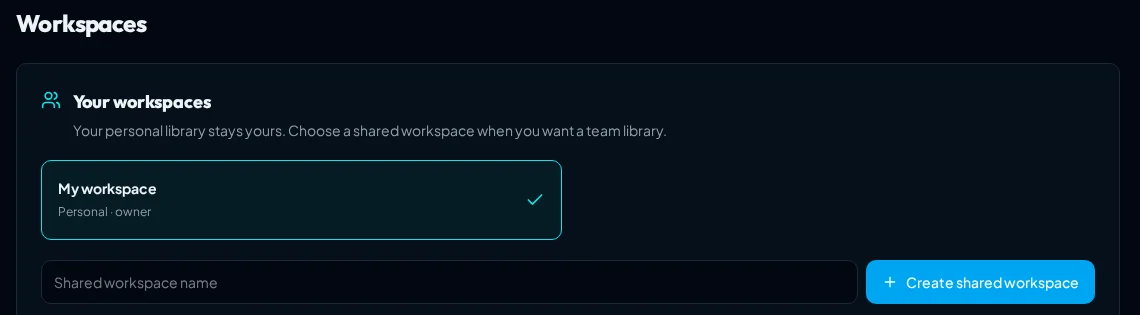
Your logo, colours and a searchable collection, hosted for you.
Build one library together with clear roles.
A plain record of important changes in your account.
A short tour on the screen you are on, whenever you want one.
An authenticator app plus one-use backup codes.
Connect your own tools to your Blue Flame account.
Built to be easy
You never have to guess what to do next. Help is built into every screen, so you can go from first upload to a working campaign without watching hours of training.
A wizard that sets campaigns up for you
Pick a goal, pick a video, and it walks you through seven short steps, with a plain hint on each. Then it points you to your next win: a Video Hub, your own advert or a split test.
Guided tours of the real screens
A two-minute quick tour, or a full tour in short chapters. It highlights the real buttons, not pictures of them.
A How-to button on every screen
Press it and you get the guide for the screen you're on: short, numbered steps, searchable, with a Show me button.
Little ? marks where you'd hesitate
Next to the headings that matter, one tap explains that thing in plain English, without leaving the page.
Campaign wizard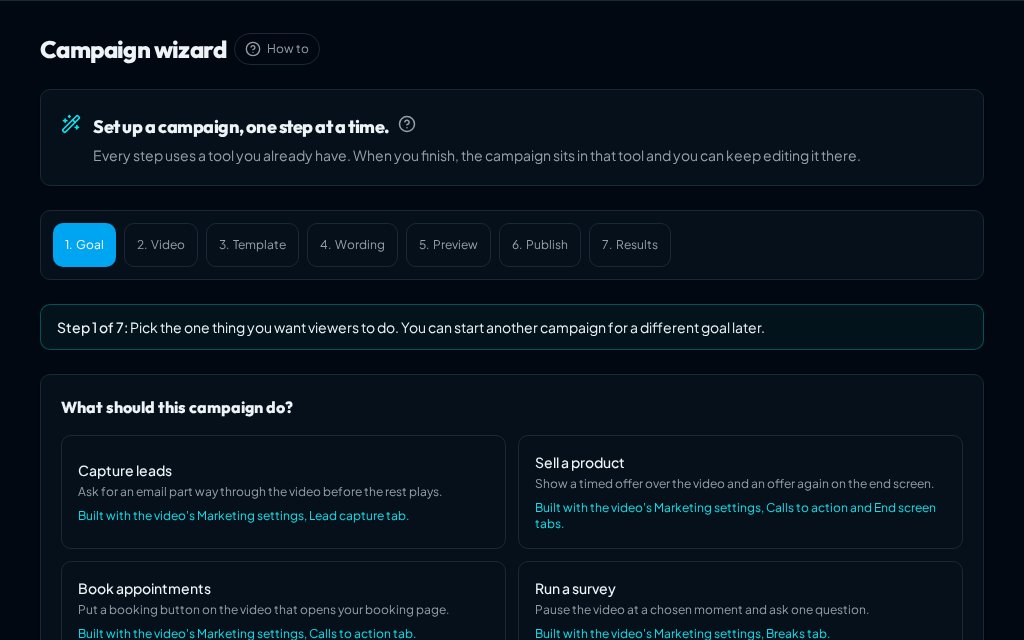
Blue Flame Media Core - launch offer
Everything on this page is in Core. See the full terms on the offer.